Missing a collection?
Check that you signed in with the exact email supplied to the creator, then ask the creator whether rewards have been delivered to that address.
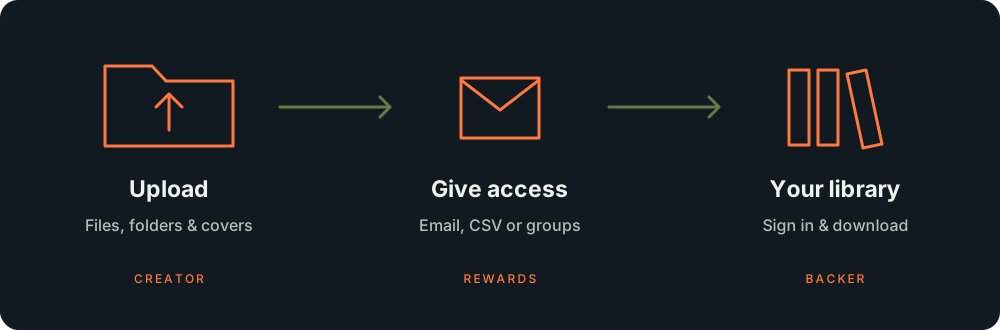
One place for digital model collections, crowdfunding rewards and the creators behind them. Creators store their collections here and give access to backers. Your library contains the projects assigned to your email.
Check that you signed in with the exact email supplied to the creator, then ask the creator whether rewards have been delivered to that address.
Creators can give access directly by email, through a backer CSV, or through a user group. Sign in with the email that received access to see those collections.
Download all saves a single ZIP with the folder structure. To download part of a project, filter by folder or file name, select the files with the checkboxes, then choose Download selected (ZIP). Selections are kept when you change filters. For large collections, use a desktop browser that supports saving directly to disk, such as Chrome or Edge. Keep the page open until the download finishes.
Open My libraryEvery signed-in account can upload projects and deliver rewards. Start with 2.5 GB free. Open Creator Studio from the menu, create a collection and add your files.
Projects are private. Assign access by email, CSV or group when your files are ready. Creator Studio shows storage used by your project files and covers.
Drop multiple files or folders into the upload zone. Use Choose files for individual files or Choose folder for one folder and its subfolders. Add more selections to the same queue before saving.
Each file can be up to 20 GB. Archives stay packed; empty folders are skipped. Selecting the same path again replaces that item in the queue.
The overall progress bar shows total progress and the number of completed files. Keep the page open while uploading. Clear queue removes queued items; use Delete beside an already uploaded file to remove it from the project.
Backers see the same folders inside the collection. Removing an uploaded file removes it for everyone with access.
Recipients can sign in later with those addresses. Repeating a delivery does not duplicate the same access.
Manage files updates the project and its files. Who has access lists recipients, including access through groups and email addresses whose owners have not registered yet.
Delete asks for confirmation and removes an unused project and its uploaded files. A project already issued to people cannot be deleted. An upload in progress also blocks deletion.
Use the backer export from your campaign or pledge manager, keeping its original column names. Open Deliver rewards on the main project and select the CSV option.
Upload your older collections as separate projects first. The importer checks your own projects and can preselect a unique matching title. Previously saved matches for an add-on ID are reused.
Matching ignores case, punctuation and common labels such as “Personal”, “Commercial” and “STL”. Model scale is checked when available. Similar titles are suggestions; duplicates or ambiguous matches need your selection.
Automatic matching prepares the delivery. Nothing is issued until you confirm. Each recipient gets only the add-ons purchased in their CSV row, using the [Addon: ID] columns.
Invalid emails, payments not marked collected, and rows with refunded amounts are skipped for review. Rows without a main reward can still contain purchased add-ons.
Check quantity warnings and differences between item columns and add-on columns. The delivery uses the [Addon: ID] columns; it does not silently combine conflicting counts.
Temporary import data is kept for seven days. Issued access remains after it is removed. An interrupted confirmed import can be resumed while its data is available.
Create custom groups for clubs, patrons or batches of backers. Group access is available to creators and administrators for their own projects.
Add a member: they immediately receive every project currently assigned to the group.
Uncheck a project or remove a member: access through this group is removed. Separate rewards or access through another group remain.
Removing access does not erase copies already downloaded.
“Select all” selects your current projects. When you create another project later, add it to the group’s selections. Saved notification settings also apply to new members.
Delivery notification checkboxes start off. Enable them when you want to notify recipients about a newly added project. Groups remember the setting you save. A recipient who has disabled delivery emails in Account settings will not receive these notifications. Sign-in codes are separate.
Viewing a project page does not download its model files. Downloads require an authenticated account with access. Once someone legitimately downloads a file, removing their access cannot remove the saved copy from their device.
Open Settings to change your display name, choose an avatar and manage delivery email notifications. Avatars can be PNG, JPEG or WebP, up to 3.5 MB.
Every signed-in account has Creator Studio and 2.5 GB free. My library contains rewards you received; Creator Studio contains projects you upload and deliver. Projects from new creators get a quick safety review before recipients can download them (they show “In review” until then). Administrators can block projects or suspend accounts, and recipients can use “Report a problem” on any project page.
Project files and covers count towards the limit. Active uploads reserve space, so several uploads cannot exceed your allowance. 1 GB is 1 billion bytes. The same project granted to several backers is stored once.
Open Storage & plan, choose monthly or yearly (yearly saves 10%), and subscribe with PayPal. Your storage renews automatically. Cancel any time: the plan stays active until the end of the paid period, and your files are never deleted.
Administration → Payments shows PayPal subscriptions and payments. Creators without PayPal can still request an invoice: send it manually, then choose Confirm payment after the money arrives. An invoice request alone never raises a storage limit.